
iPhone/iPad: How to Set Up Email in Gmail
This guide will walk you through setting up your email account in the Gmail app on your iPhone or iPad.
Steps and screen layouts may vary slightly depending on your app version.
Note: The screenshots are for reference only. Please enter your own account details when following this guide.
Step 1: Open Gmail
Open the Gmail app on your iPhone or iPad.
Follow the instructions that apply to you:
If you're using Gmail for the first time: Tap Sign In.
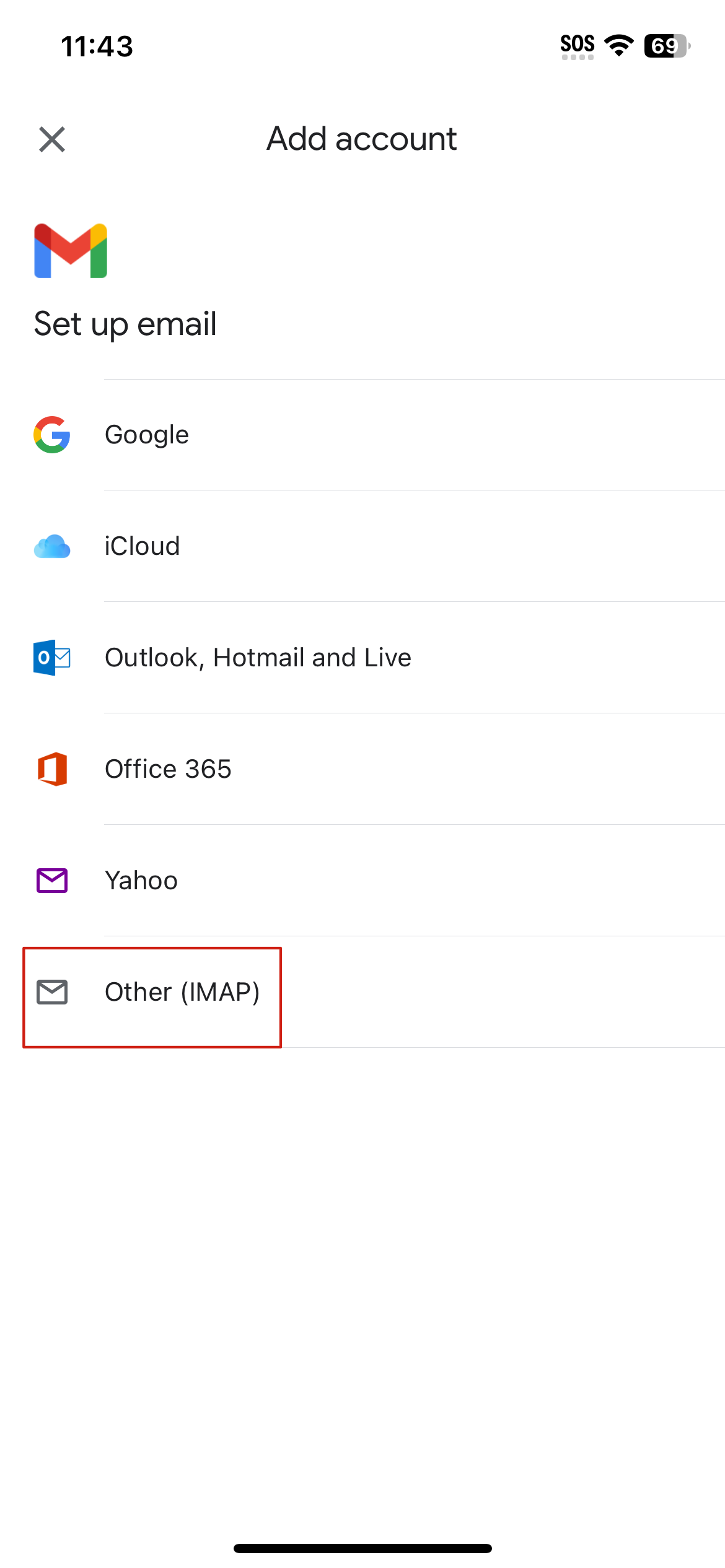
If you already have an account connected: Tap your profile picture or initial in the top-right corner, then select Add another account.
Select Other (IMAP) to continue.
Step 2: Enter Your Email Address
Enter your full email address and tap Next.
Step 3: Configure Your Mail Servers
Enter the following incoming and outgoing server settings:
Incoming Mail Server (IMAP)
Username: Your full email address.
Password: Your email account password.
IMAP Server: mail.yourdomain.com.au
Port: 993
Security Type: SSL/TLS
Replace yourdomain.com.au with your own domain name.
Tap Next to continue through the next screen.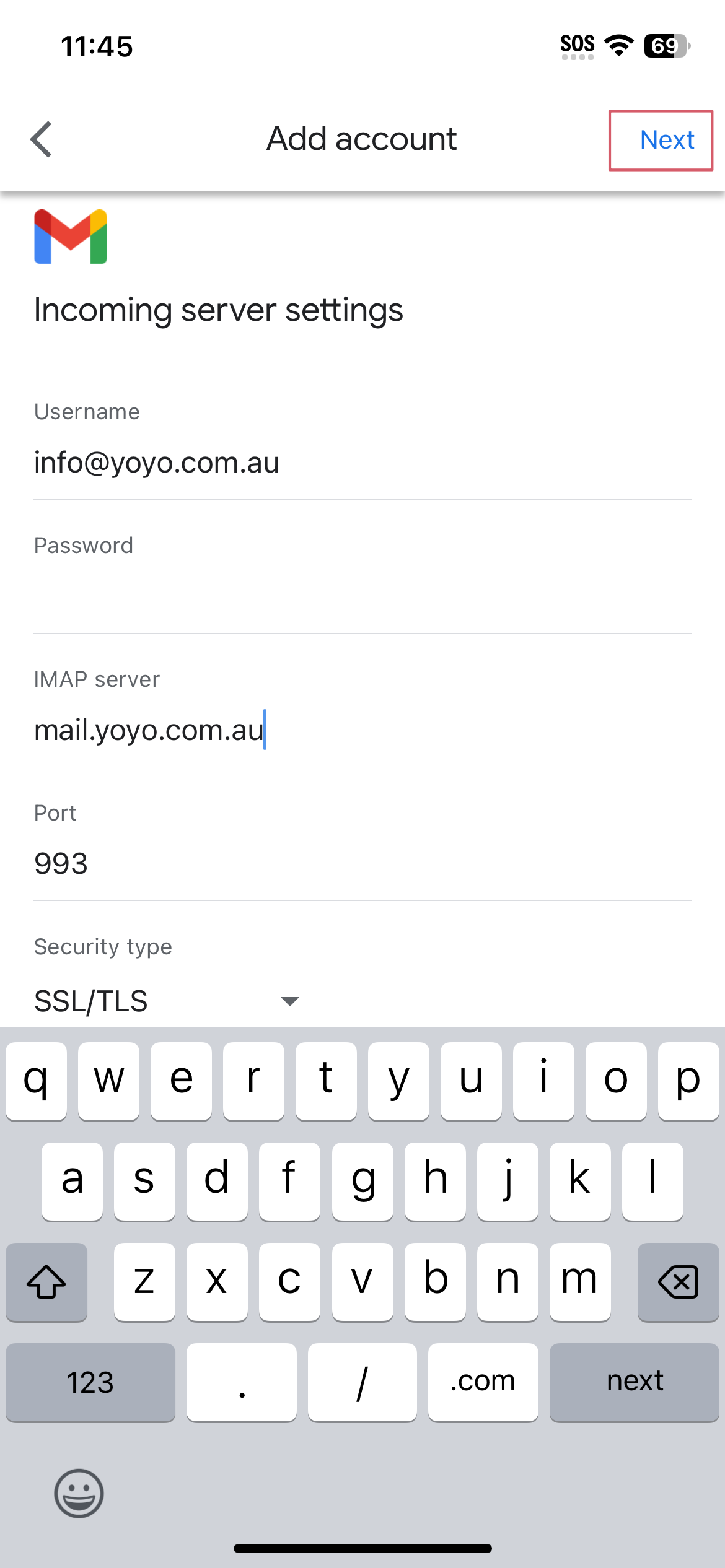
Outgoing Mail Server (SMTP)
Username: Your full email address.
Password: Your email account password.
SMTP Server: mail.yourdomain.com.au
Port: 465
Security Type: SSL/TLS
Replace yourdomain.com.au with your own domain name.
Tap Next to continue through the next screen.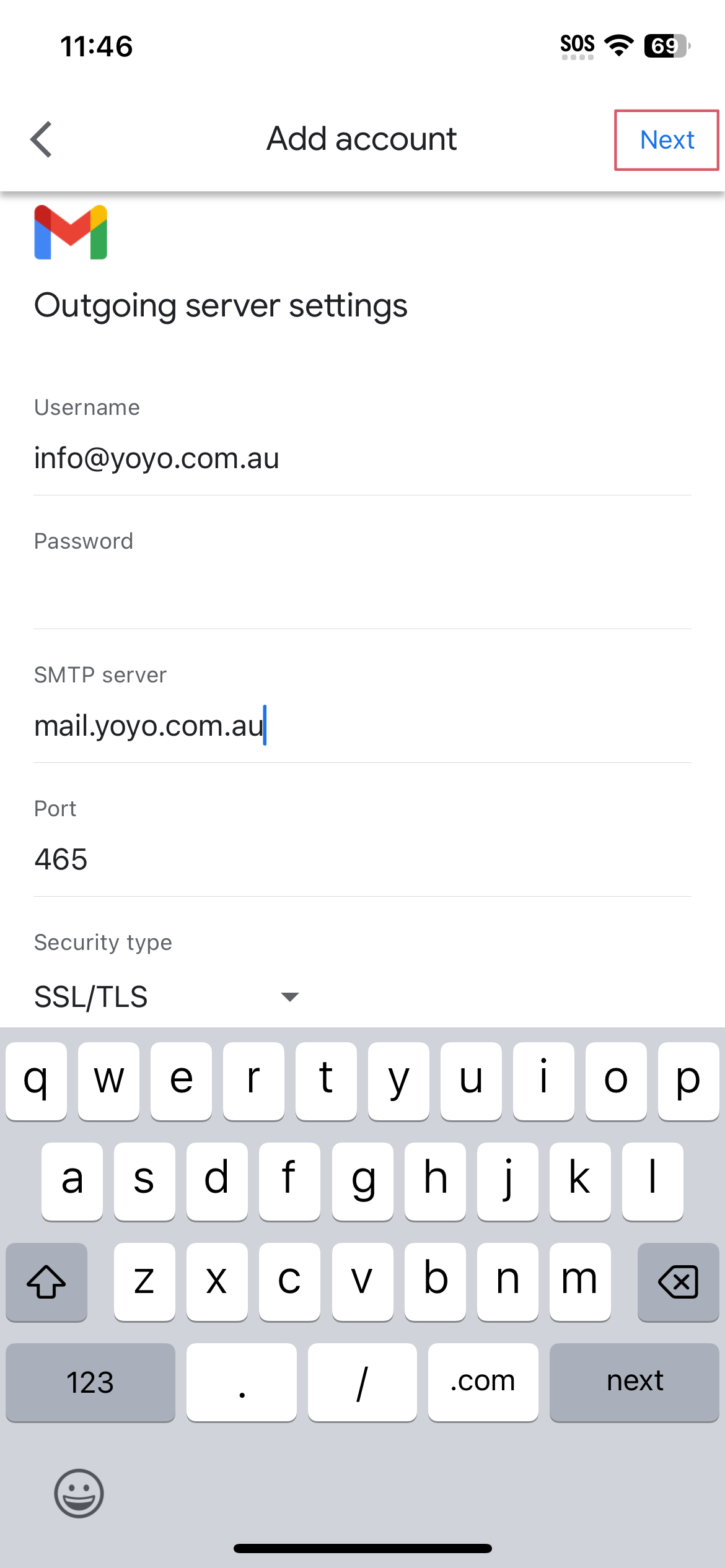
Step 4: Enter Your Display Name
Enter the name you would like recipients to see when you send emails (e.g. your business name).
Tap Next to complete the setup.
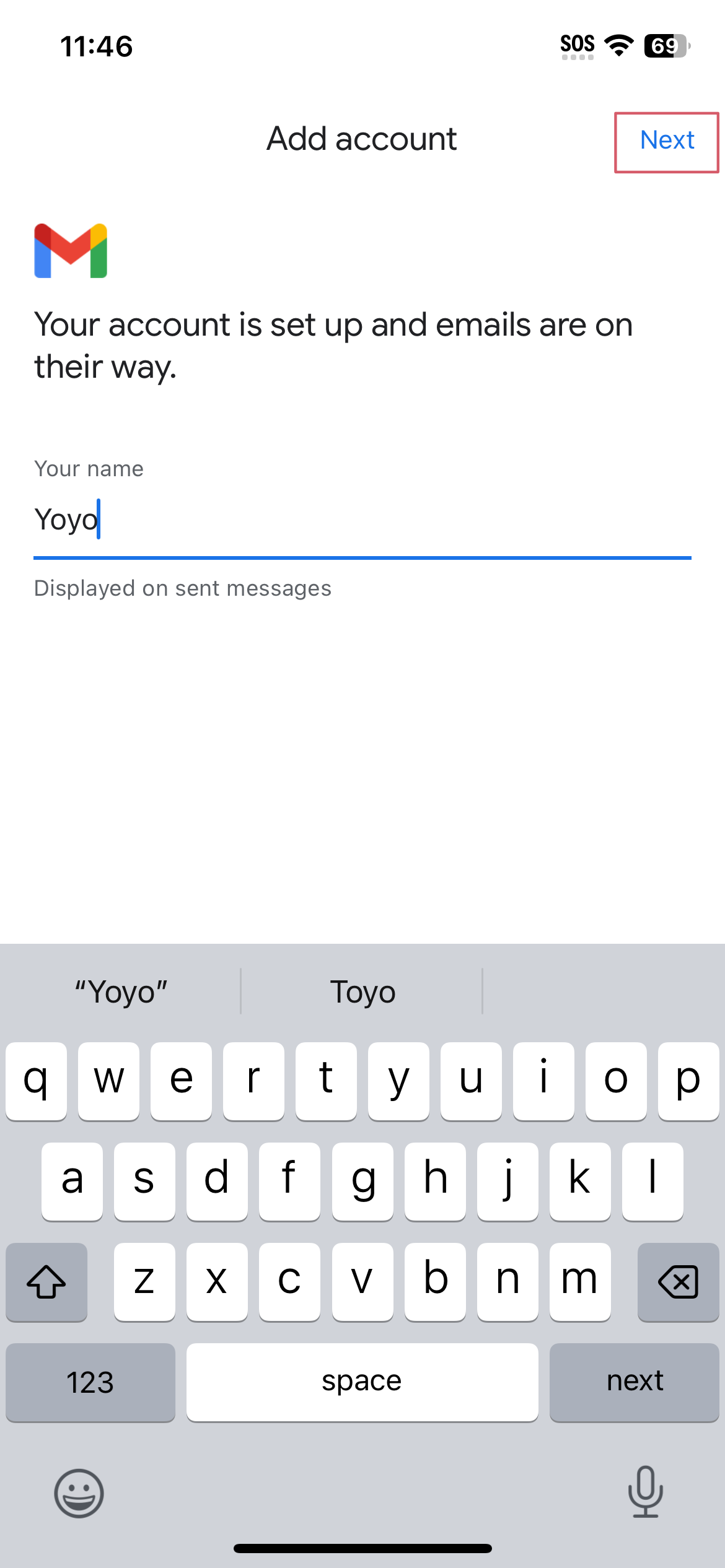
Setup Complete!
Your email account is now ready to use in the Gmail app on your iPhone or iPad.
If you need assistance, contact us at support@registry.com.au or call 1300 070 000, Monday to Friday, 9 AM–5 PM.
Registry Australia offers locally based customer support for all your needs.
Hours of 9am - 6pm AEDT, Monday - Friday.